


Stock Options Trading Signals
4.317.00 Reviews
App Specs
- Version
- 1.3.82
- Updated On
- License
- Free
- Downloads
- 10,000+
- Developer
- Loheden AI Solutions AB
- Categories
- Finance
- Platform
- Android
Screenshots
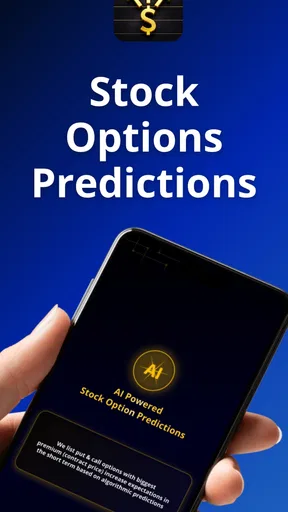
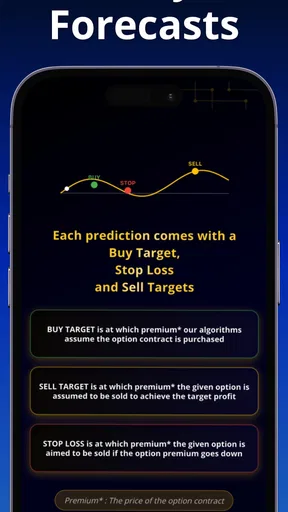
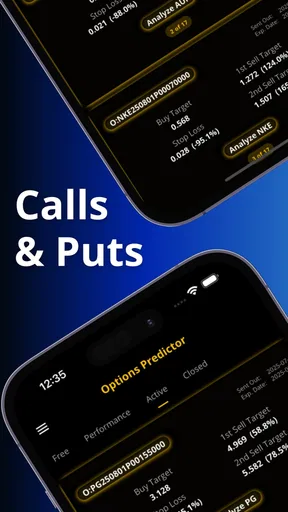
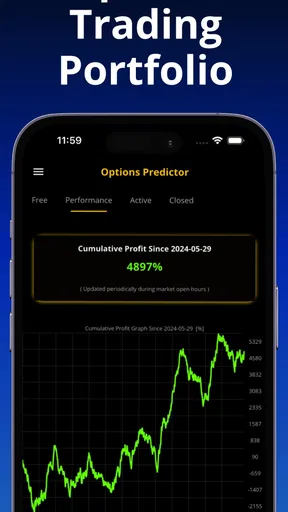
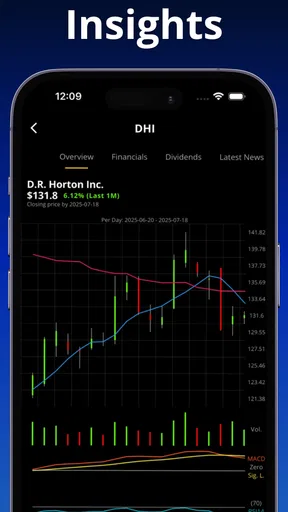
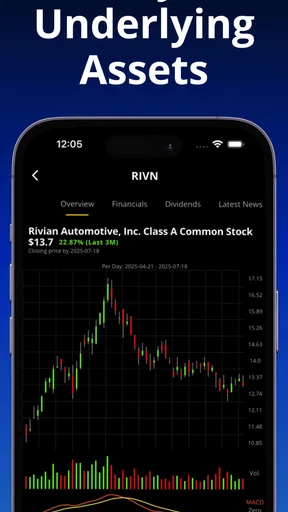
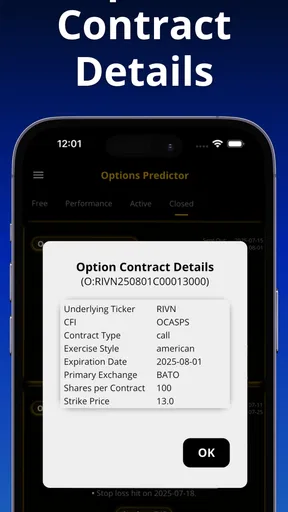
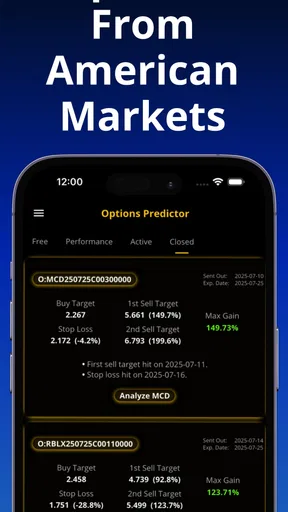
 Analysis by AppCompare
I approached Stock Options Trading Signals as a finance app for people who want AI-assisted ideas and analysis around stock options in American markets. My first impression was that it is aimed at a very specific audience: users who already understand that an options signal is a starting point for research, not a substitute for a trading plan. The app is free to install, carries an Everyone age rating, and comes from Loheden AI Solutions AB. Its store presence shows a 4.3 average from around 474 ratings, with more than 10K installs, so it has attracted a modest but meaningful group of users without feeling like a mainstream banking tool.
That focus matters when judging how usable it is. This is not a general budgeting app, a simple stock portfolio tracker, or a beginner course on investing. The central appeal is the possibility of using automated predictions and analysis to narrow attention toward options opportunities. In my experience, that can be useful when a trader has too many symbols to review, but it also creates a responsibility to slow down and verify every idea. The most important question is not whether a signal looks convincing. It is whether I can read it comfortably, understand its limits, and act without being pushed into a rushed decision.
How clearly the app supports different users and situations
I’d judge this app’s fit by the kind of help a person needs, not by a single screen or signal. Someone comfortable checking options independently may use it as a focused prompt to investigate; someone seeking a guided introduction or an all-in-one investing tool may find that narrow role limiting. I’ll look next at how that difference affects the practical trade-offs of using it.
Readability and navigation shape the whole experience
For an options tool, clear presentation is more important than visual decoration. A user may need to compare a prediction with a strike price, expiration, implied risk, and the wider market context. Any interface that makes those relationships difficult to follow becomes tiring quickly, especially on a phone. I found the app’s value depends less on the existence of an individual signal and more on how easily I can move from that signal to a sensible investigation.
I would use it in short, deliberate sessions rather than leave it open as background noise. A practical routine is to review the available ideas, choose only a small number for closer inspection, and then write down why each one deserves attention. That simple step prevents the app from becoming a stream of disconnected prompts. It also helps users with different reading speeds because they can pause between decisions instead of trying to absorb everything at once.
The current version is 1.3.82, and the app supports devices running Android 7.1 or later. Those details make it approachable for people who keep an older Android phone, although the experience will still depend on the phone’s display, performance, and system settings. I would not judge a finance interface solely by whether it opens on an older device. The real test is whether text remains comfortable to read and whether changing screens feels predictable on that hardware.
One useful habit is to enlarge the system text before deciding whether the app works for you. Bigger text can reveal whether important labels remain understandable or whether the layout becomes crowded. This is a better test than viewing a few screenshots at default size. Options analysis already contains unfamiliar terms and dense relationships; forcing yourself to read tiny information adds an avoidable barrier.
Worth Reading Before You Choose

Flipboard Shows What News Apps Must Do Beyond the Feed

Switching to Android Auto Means Rethinking Your Driving Routine

Google Calendar Makes a Crowded Week Easier to Manage

Ludo King Makes the Most of the Minutes Between Plans

Baby Panda World Brings Quick Play to Modern Phones, but Its Game Library Feels Busy

ESPN’s Live Game View Makes Following Close Games Easier
The app is also easier to approach when I treat its output as a shortlist rather than a command. That mental model improves navigation because I know what I am looking for: a reason to research further, not an immediate order. It also reduces the pressure to interpret every item on screen. For a new options trader, this distinction may be more valuable than any individual prediction.
Motor and sensory considerations for phone-based trading
Trading from a touchscreen can be convenient, but it is not equally comfortable for everyone. Users with limited dexterity may find repeated tapping, scrolling, or selecting small controls demanding, particularly when they are trying to compare several pieces of market information. I would avoid using a signal app while walking, commuting through a crowded place, or handling anything else. A stable surface and two-handed use make the review process less hurried and reduce accidental selections.
People with visual fatigue may need a different rhythm from users who can scan financial screens quickly. I recommend short sessions with deliberate pauses, especially when the app is being used to support a real trade decision. A prediction can look simple at first glance, while the surrounding context requires more careful reading. If you have difficulty distinguishing small text, dense layouts, or subtle visual differences, test the app on your own phone before relying on it for time-sensitive research.
Users who depend on screen readers, magnification, voice control, or other assistive settings should check how the app behaves with their personal setup. I would not assume that a finance app designed for touch navigation will expose every label in the most helpful order. The safest approach is to open the main analysis areas, move through them using the accessibility tools you normally use, and confirm that the essential information can be reached without relying on color or position alone.
Color is another practical concern. Signals and market movements are often presented with visual conventions that can be difficult for people with color-vision differences. I would look for accompanying text, symbols, or numerical context rather than interpreting a red or green element by itself. If an important distinction is communicated only visually, that is a serious reason to use the app as a secondary research aid instead of a primary decision screen.
Hearing-related access is less central to a text-and-market-analysis workflow than vision or motor control, but users should still consider how they receive attention cues. If the phone is muted, in a noisy environment, or configured to minimize interruptions, I would not depend on an alert to tell me that something deserves review. A scheduled manual check is more dependable because it does not assume that every user notices the same sound, vibration, or notification.
Situational access: where the app fits into a normal day
The most realistic use case for me is a quiet review before making any trading decision. I might open the app after work, examine the available American-market signals, and select one or two ideas for independent research. I would then compare the suggested direction with my own risk limit, available capital, time horizon, and willingness to lose the entire premium. This workflow turns the app into a filter that saves attention without allowing it to control the final choice.
It is less suitable when I have only a few seconds to react. Options can move quickly, and a mobile signal should not be treated as a guarantee of timing or outcome. If I am distracted, tired, or emotionally committed to a particular trade, the app may actually make the situation worse by giving my impulse a technical-looking justification. In that context, a slower research method or no trade at all is the better option.
Situational access also includes financial context. The app is free to install, but in-app purchases range from $39.99 to $199.99 per item. That makes it important to understand the cost boundary before building a routine around any paid material. I would first decide whether the free experience provides enough value for my research habits, then consider whether a purchase solves a specific problem. Paying for more signals is not automatically the same as improving decision quality.
That pricing structure may be manageable for an experienced trader who already has a defined process, but it can be uncomfortable for someone still learning basic options concepts. Beginners often need education about assignment, expiration, liquidity, spreads, and position sizing before they need more predictions. In that situation, a transparent educational resource or a paper-trading workflow may be a better first step than paying for additional analysis.
The app can also fit users who have limited time but not unlimited attention. A useful approach is to set a personal rule: never act on the first screen alone. Read the signal, record the reason it interests you, inspect the underlying stock independently, and only then decide whether it belongs on a watchlist. This four-step pause is an accessibility aid in the broadest sense because it reduces cognitive overload and makes the process less dependent on speed.
What remains difficult and where other tools may be better
The biggest barrier is the subject itself. Stock options are not simple buy-and-sell instruments, and an AI prediction can create a false sense of precision. Even a clearly presented idea still needs questions answered: Is the option liquid enough? Is the spread reasonable? What happens if the underlying stock moves sideways? How much can be lost? When will I exit? The app cannot remove those decisions from the user’s responsibility.
I also see a trade-off between convenience and context. A specialized signal app may help me focus on possible opportunities, while a full brokerage platform usually offers the order controls, account information, and position management needed to execute and monitor a trade. A charting platform may provide deeper technical tools, and a financial news service may offer broader fundamental context. I would not expect this app alone to replace those alternatives.
That comparison clarifies who should skip it. If you want a complete brokerage account, portfolio reporting, tax records, or a broad investment dashboard, this is probably the wrong tool. If you are looking for long-term index investing, retirement planning, or household budgeting, its options-focused purpose is likely to distract rather than help. It is also a poor fit for anyone who wants guaranteed calls or who is unwilling to verify an automated suggestion.
There is a more subtle barrier for users who process information slowly or need a highly predictable sequence. Market research often involves jumping between a signal, a chart, an options chain, news, and a broker. Even when each individual screen is usable, the overall task can become fragmented. I would keep a simple written checklist beside the phone and avoid switching between too many sources at once. That reduces memory demands and makes it easier to notice when an important question has not been answered.
Another trade-off concerns trust. The app’s 4.3 average and roughly 17 written reviews suggest that many users have responded positively, but those figures cannot tell me whether a particular signal fits my risk tolerance or trading style. I treat user ratings as a clue about general satisfaction, not proof of investment performance. For a finance product, that distinction is essential: convenience can be reviewed, but the suitability of a trade remains personal.
My inclusive verdict for options research
I think Stock Options Trading Signals is worth considering for an Android user who already understands options and wants an additional way to screen American-market ideas. The free entry point makes it easy to test whether the workflow suits your reading habits, device, and research discipline. Loheden AI Solutions AB has positioned the app around a narrow task, and that narrowness is its strength when you want signals rather than a general money-management suite.
My recommendation comes with a firm condition: use it as an assistant, not as an authority. I would never let a prediction decide position size, risk limit, or exit plan. I would also avoid paying for in-app content until I had established a repeatable process for checking the free information against independent research. The purchase range is significant enough that casual curiosity should not become an expensive habit.
For accessibility, the app is most promising for users who can comfortably read financial information on a phone and who prefer calm, manual review. People who need large, highly structured text, complete screen-reader clarity, strong nonvisual cues, or minimal touch interaction should test it carefully with their usual tools before depending on it. The same advice applies to anyone using it in bright sunlight, noisy places, or while multitasking: situational comfort can change the experience more than the app’s basic purpose.
My final view is positive but measured. This is a focused finance app with a useful role in a disciplined options workflow, particularly when I need to narrow a large market into a manageable research list. It is not a substitute for a broker, an education platform, or personal risk management. If you can read its information comfortably, slow down long enough to validate each idea, and accept that paid access does not remove uncertainty, Stock Options Trading Signals can earn a place in your research toolkit. If you need simplicity, guaranteed certainty, or a complete investing home base, I would choose a different kind of app.
Pros
- Clear options signals help identify potential trading opportunities.
- Useful for traders who want ideas without constant market scanning.
- Covers multiple stock options and market setups.
- Simple interface makes signals easy to review quickly.
- Can support a more structured and disciplined trading routine.
Cons
- Signals are not guaranteed and may lead to losses.
- Limited context can make complex trades hard to evaluate.
- Options require experience with risk
- pricing
- and expiration dates.
- Some alerts may arrive too late for fast-moving markets.
- Advanced features or full access may require a paid subscription.
FAQs for Stock Options Trading Signals
What is Stock Options Trading Signals, and how does it work?
Stock Options Trading Signals is designed to provide market ideas and alerts related to stock options trading. Signals may include information such as the underlying asset, option type, strike price, expiration date, suggested entry level, and possible exit targets. After reviewing the interface, users should understand that these are analytical suggestions rather than guaranteed instructions or automatic trades. The quality and timing of each signal can vary depending on market conditions.
Is Stock Options Trading Signals suitable for beginners?
The app may be useful for beginners who want to learn how options traders organize and monitor potential opportunities, but it should not be treated as a complete trading course. Users need to understand calls, puts, strike prices, expiration dates, implied volatility, and risk management before committing real money. New traders should begin with paper trading or a small educational account and carefully verify every signal independently.
Can the app place options trades automatically?
Stock Options Trading Signals primarily focuses on delivering trading information and potential market alerts, so users should not assume that downloading the app gives it permission to execute trades. Any actual order normally needs to be placed through a supported brokerage account or trading platform. Before relying on a signal, check whether the app offers broker integration, what permissions it requests, and whether any automation features are enabled.
Are the trading signals guaranteed to make money?
No trading signal can guarantee profits, and options involve substantial risks, including the possibility of losing the entire premium or more when certain strategies are used. Signals can become outdated quickly because prices, volatility, news, and liquidity change continuously. We recommend treating every alert as a starting point for research, checking the underlying company and market conditions, and using predefined position sizes and stop-loss rules where appropriate.
What should I check before downloading and using the app?
Before downloading Stock Options Trading Signals, review its current pricing, subscription terms, privacy policy, supported countries, notification settings, and recent user feedback. Confirm whether the app clearly explains its signal methodology and provides transparent performance information rather than relying only on promotional claims. Also verify that it does not request unnecessary financial credentials, and remember that the app should complement—not replace—your own research or advice from a qualified professional.


